The work
Describe what you delivered.
Use meaningful line items, quantities and rates. Keep the milestone, period or deliverable visible so the client can match the invoice to the agreement.
The work is yours.
Make the invoice just as considered.
Create a branded consulting invoice from the agreed work. Review the amounts, dates and terms, then issue and send it when you are ready. Keep the invoice with the client, the engagement and the payment record.
Card required · Then from $50 USD per seat/month unless you cancel. See details
From agreed work to reviewed invoice
Follow a milestone invoice for an operating-model programme. Fieldmark’s example combines consulting days, specialist work, a workshop and agreed materials, with a purchase-order reference and 14-day payment terms.
Client · Agreed work · Billing instructions
Identify the client and engagement, the work being billed and the agreed amounts. Add the billing period, payment terms and any purchase-order reference before asking Practice to prepare the invoice.
Interactive product demo · sample data
Make the amount easy to understand
The document should help the client recognise the engagement, understand the charge and know what happens next. A polished design still needs the right commercial details.
The work
Use meaningful line items, quantities and rates. Keep the milestone, period or deliverable visible so the client can match the invoice to the agreement.
The terms
Review the billing identity, currency, tax, purchase order and due date. Fieldmark’s illustrative £8,150 net amount and £1,630 tax produce a £9,780 total.
The record
A draft is still being prepared. An issued invoice has a preserved version. An email has its own delivery state. Payment records determine the outstanding balance.
The document, in detail
Explore an itemised milestone, a fixed-fee engagement and a monthly retainer. Each example keeps the practice’s own identity while making the work, amount and payment terms visible.
Three example invoices. Three different ways to present the work.
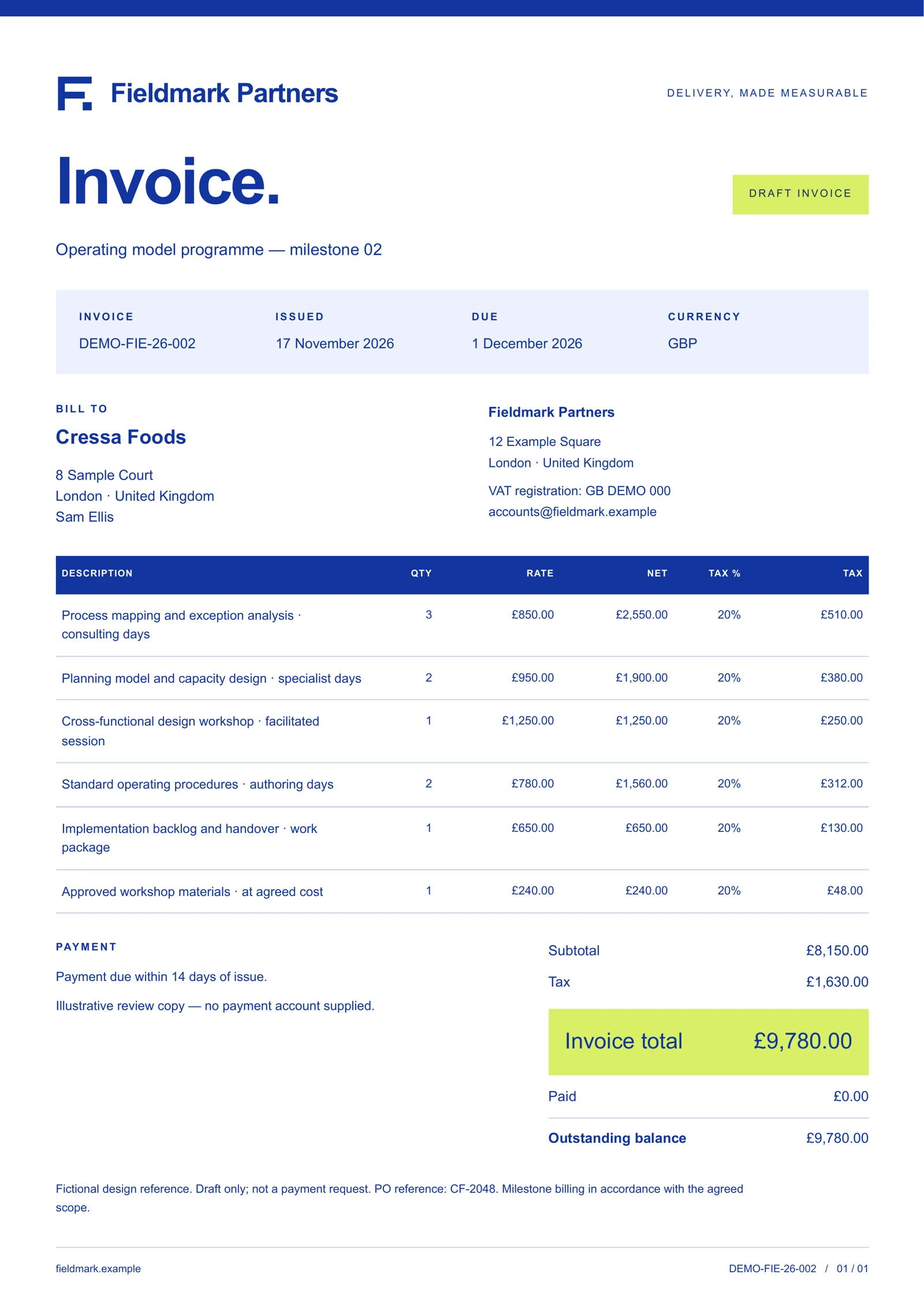
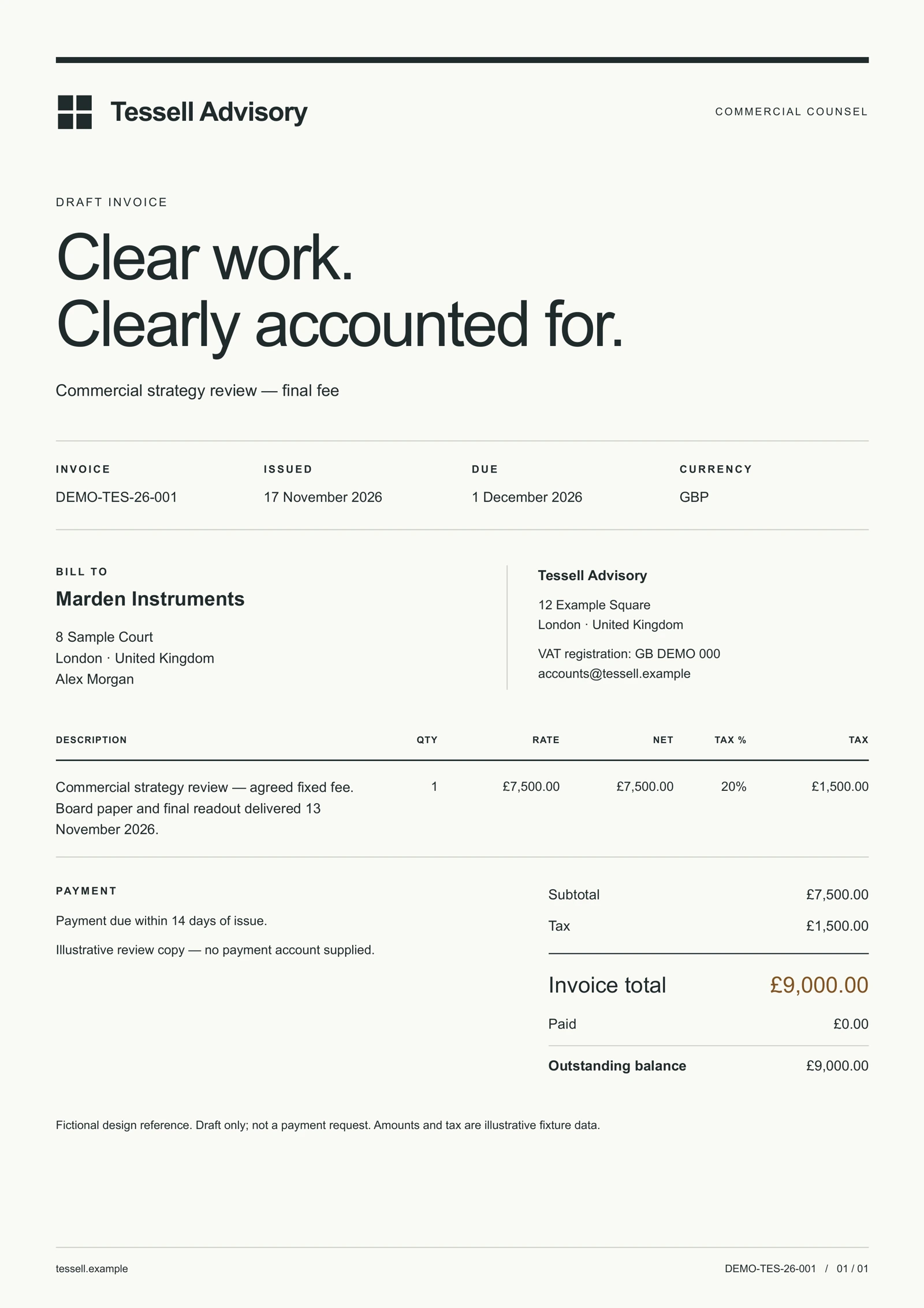
Download the original examples: Fieldmark milestone, Tessell fixed fee or Elowen retainer.
Bill in the rhythm of the engagement
Use a single invoice for agreed work, or create a billing plan from a reviewed draft. Choose the dates, invoice details and whether future invoices need review before delivery.
Bill a completed review, a workshop or another agreed piece of work. Combine fixed amounts, quantities and expenses in the same invoice.
Set explicit invoice dates and amounts for stages of the engagement. Check the commercial trigger yourself: a scheduled date does not detect completed work or client acceptance.
Choose a recurring cadence and activate the plan. Future invoices reuse the saved design; changes to the plan apply going forward. Issued invoices retain their original details.
Plans require activation. You can keep invoices as drafts for review or choose issue and send with an authorised mailbox. Recurring invoices do not automatically debit the client.
The balance, with context
Sending an invoice and receiving payment are different events. Practice keeps the invoice, recorded payments and remaining balance together.
With Stripe payment setup completed, an issued, active invoice can offer a client checkout for its remaining balance. Issuing the invoice itself does not charge a card.
Record an amount and date for a payment received by bank transfer or another channel. A partial recorded payment leaves the remaining balance visible; entering the record does not move money or connect to your bank.
Review invoice status alongside delivery and payment information. Corrections, voiding and archiving depend on the invoice’s state; voiding does not refund a payment.
Before you begin
What to bring, what you can change, and how the billing steps fit together.
Choose the client and, where relevant, the engagement. Add a clear description of the agreed work, quantities or fees, currency, applicable tax, invoice date, due date and payment terms. Check your own business identity and the client’s billing details. Practice calculates the amounts from the line items; you review which tax treatment applies.
Yes. Create a branded invoice or reuse a saved invoice design. The workspace can download a draft PDF for review. After issue, the client-facing invoice and its public PDF use the issued version. Explore the example designs for inspiration.
You can revise a draft. Issuing assigns the final invoice number and preserves the issued content and financial details, so those figures cannot simply be edited afterwards. An eligible unpaid invoice can be voided while retaining its history. Check the invoice and payment state before choosing the appropriate correction; voiding is not a refund.
No. You can issue on its own, or review the recipient and message and choose Issue & send or Issue & schedule email. Email requires a connected, authorised mailbox, and delivery is tracked separately. Online payment is a separate client action and requires completed Stripe payment setup.
Yes. A billing plan can create invoices on a recurring cadence or on explicit dates for agreed milestones. Choose draft review or issue and send, then activate the plan. A dated milestone does not detect whether the project work has been completed. Recurring invoice generation does not automatically debit the client.
You can record an amount and date for a payment received outside Practice against an issued invoice. A partial recorded payment leaves the remaining balance visible. This records the payment you report; it does not connect to your bank or transfer funds. Online checkout requests the invoice’s current remaining balance.
The free generator creates a starting invoice document that you can download as a PDF. Practice keeps native invoices with the client and engagement and supports review, issue, email delivery, billing plans and payment records. The free tool does not collect payments or automatically create a native invoice in your Practice account.
More on the product in Practice’s documentation.
For the work you have agreed
Your client, your brand and a clear record of what is due.
Start your 30-day trialUp to 30 days with an AI usage allowance. See plans and trial details.